
Temporarily Over-committing Coefficients
You'll only find this functionality in DaDesktop Private Server (DDPS) and DaDesktop On-Premise (DDOP).
With courses growing ever more complex and demanding more processing muscle—especially when nested virtualisation or high-performance needs for many trainee desktops come into play—you might, on rare occasions, see an error such as this :-

This alert pops up for CPU, memory, or disk space bottlenecks. Your first move should be to shift your machine(s) to a less congested server or data centre, or dial down the resource needs if you can.
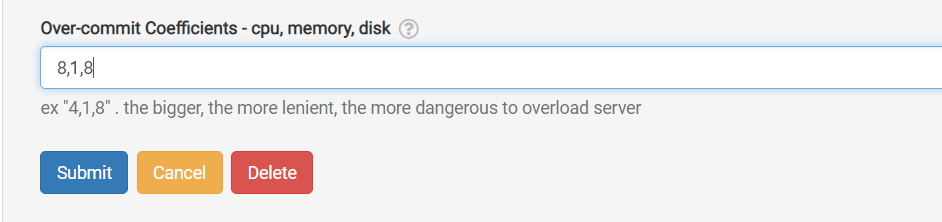
If neither of those is doable, and your running units only slightly exceed the usual maximum, a fast fix is to temporarily 'over-commit' one or more of the CPU, memory, or disk coefficients. You can set this up in the GUI as shown below.
Head to /da/admin/servers/all, hit the Edit button for your server, and then scroll down to this section.
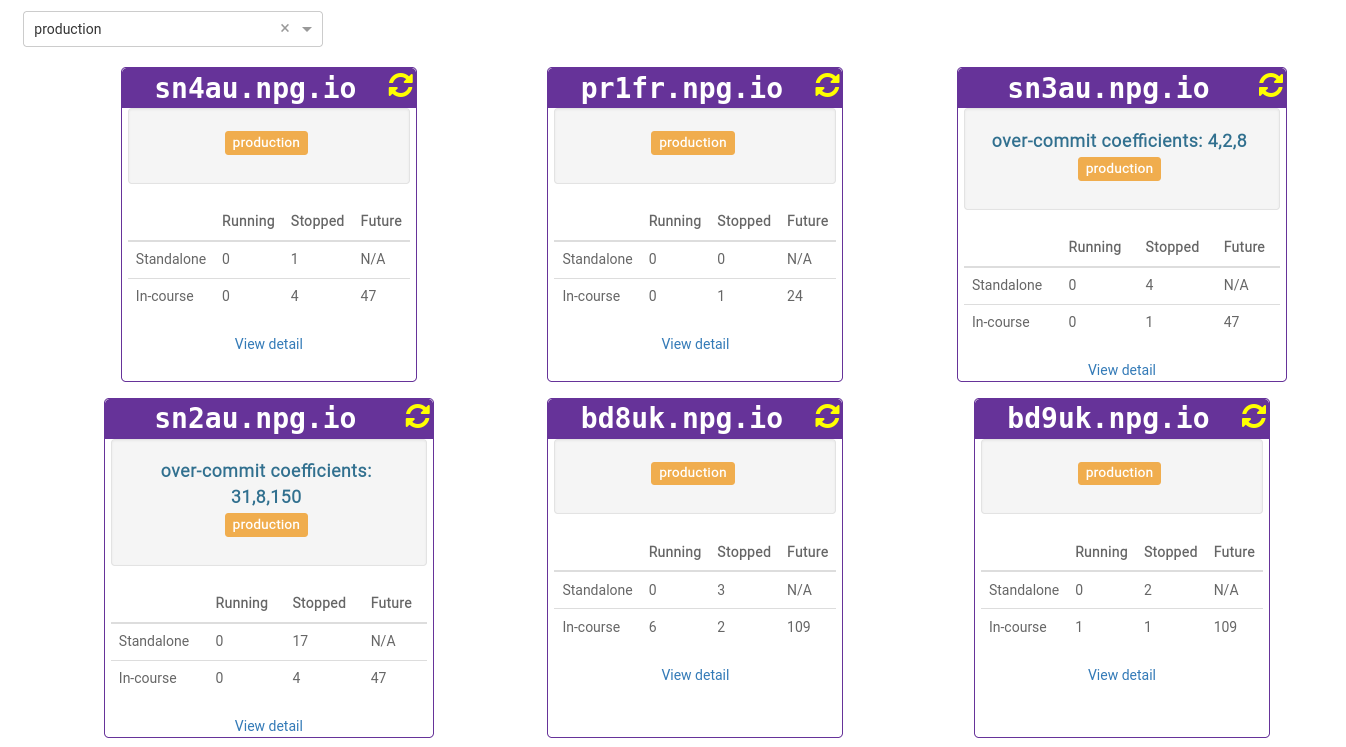
The server list also highlights which servers are currently running with over-committed coefficients. That comes in handy when you finish a course and need to reset those coefficients to their default values.
Treat any changes as a temporary workaround, not a permanent fix for resource shortages. Once the course wraps up, revert any adjustments that were only made to let it run.
DaDesktop On-premise Requirements
The over-committing capability is made possible by tpapi, a component of the DaDesktop codebase. As of now, tpapi is solely compatible with Python 3.12, which means your operating system must be at least Ubuntu 23.10.